Revise · Quiz · CPD
Your guidelines,
learned.
Revise QC turns a service's own clinical guidelines into one revision app, with quizzes, flashcards, readable revision text, stats and a CPD record. Staff can use it anywhere, even with no signal.
See it in use
Built around a service's real guidelines
These screens are from the Revise QC app built for Midlands Air Ambulance Charity, with their name, logo and colours.
-
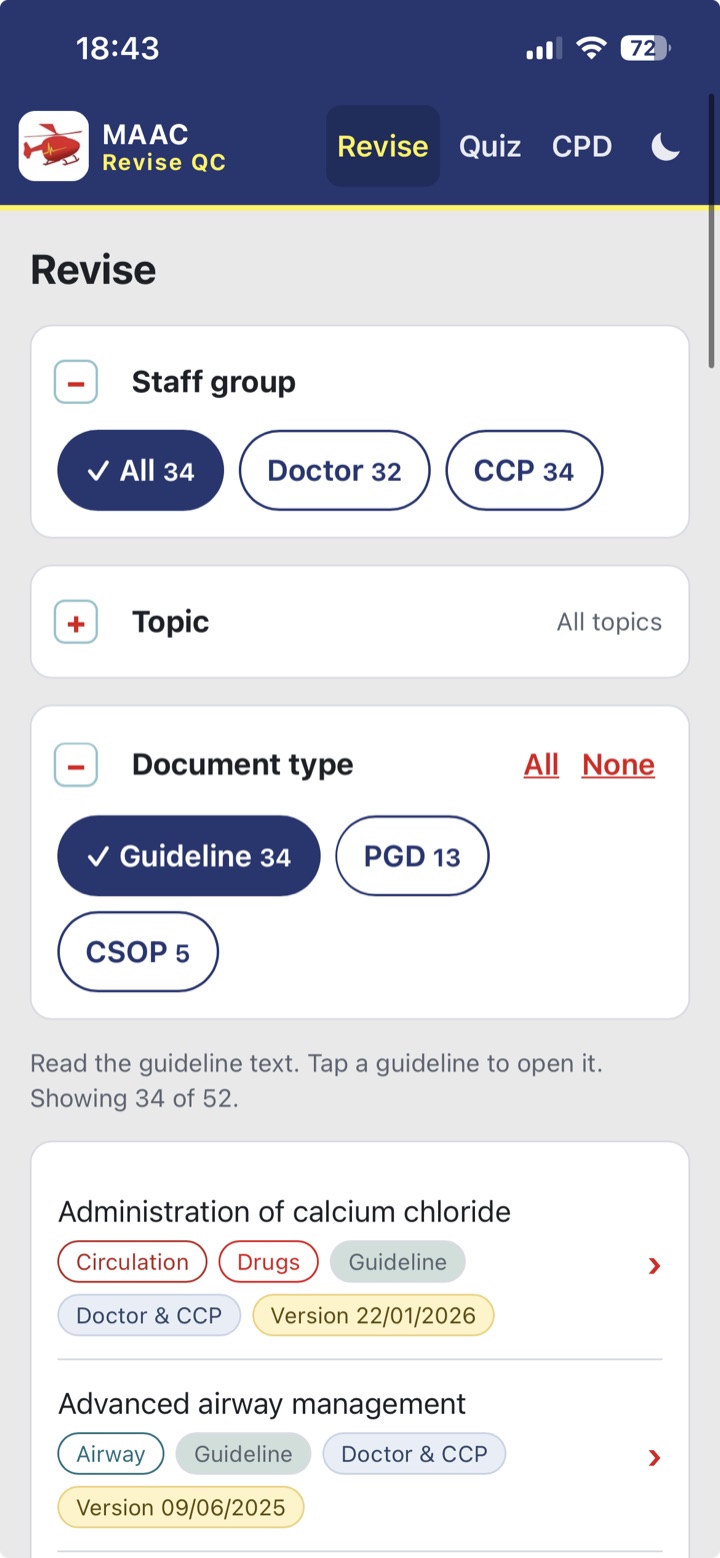
Revise Filter by staff group, topic and document type, then open any guideline to read it. -
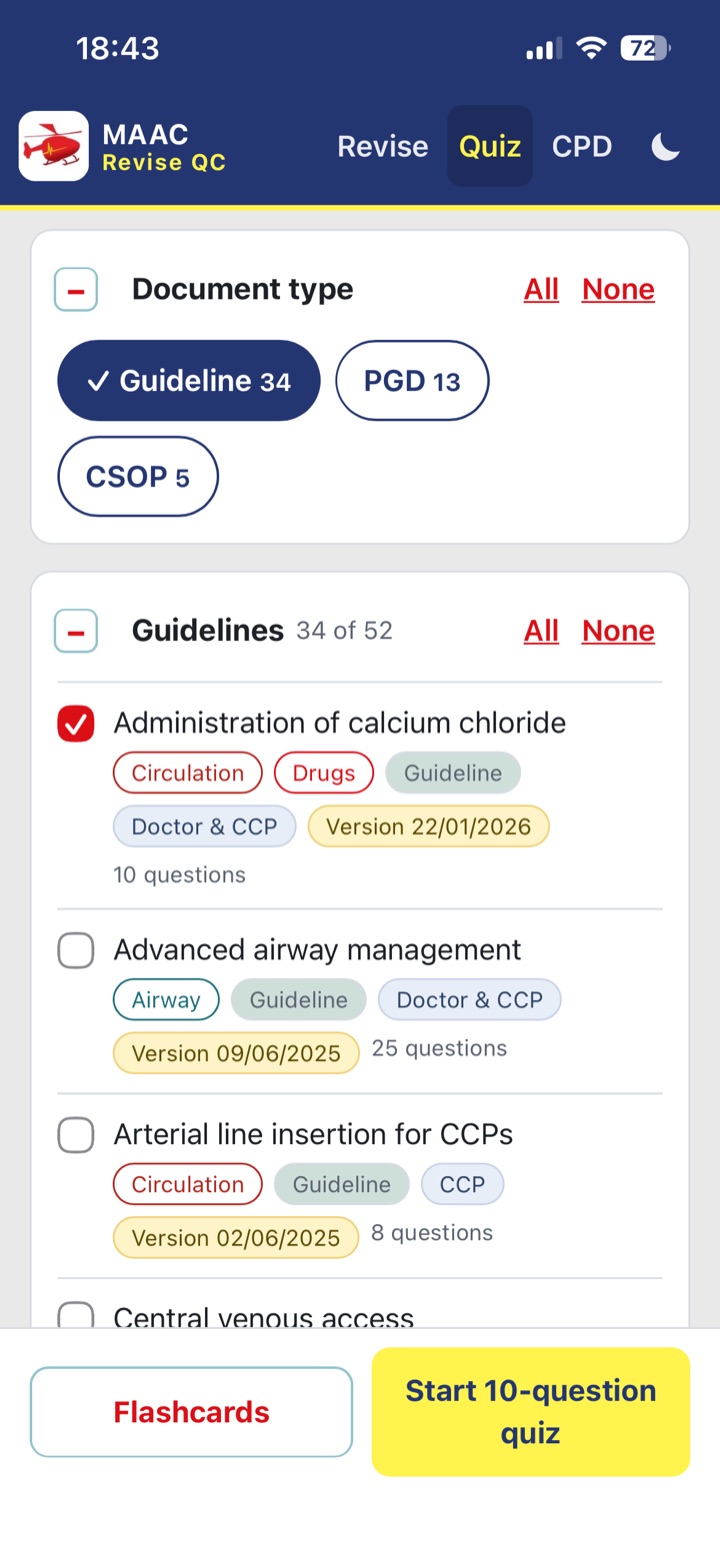
Build a quiz Pick the guidelines to cover, then start a quiz or switch to flashcards. -
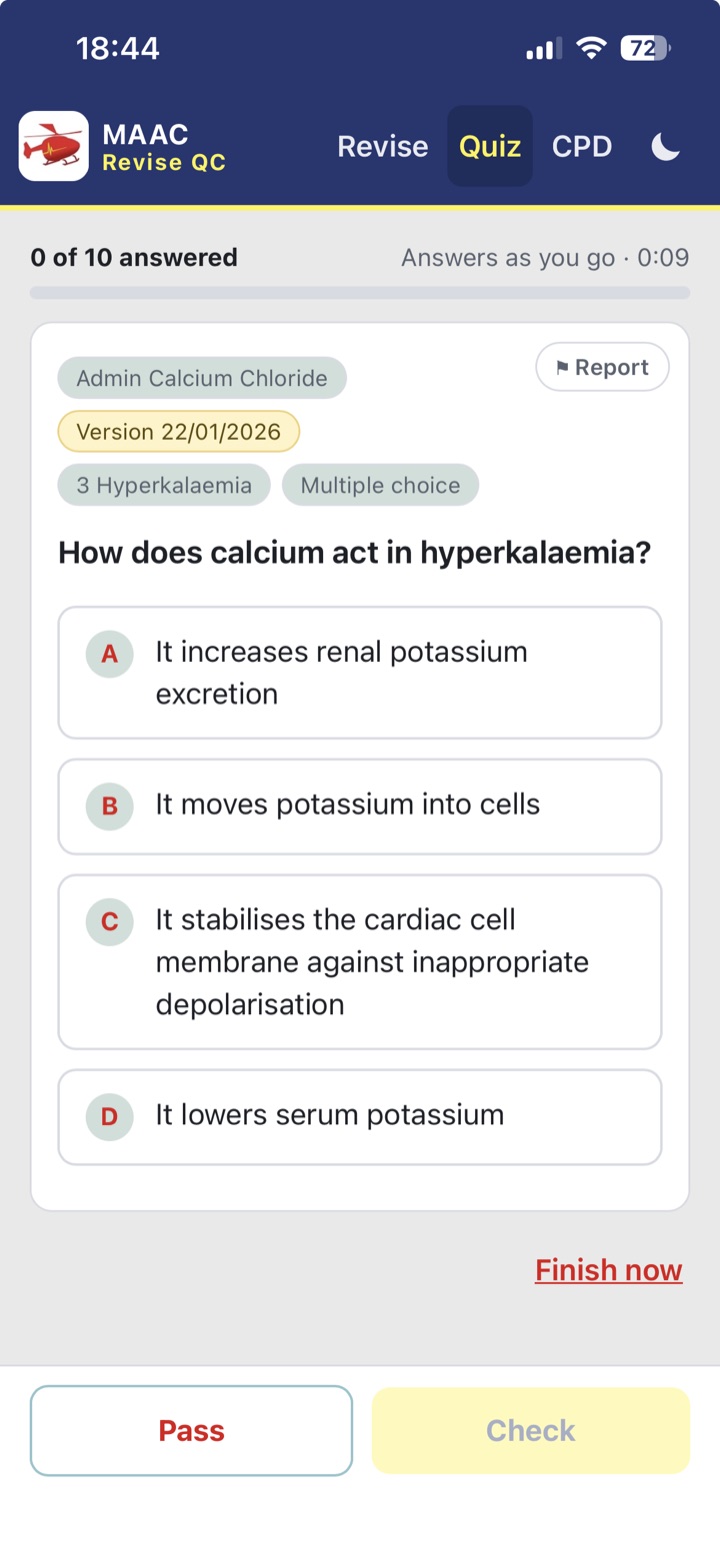
Answer as you go Every question shows its guideline, section and version date. Staff can report a question that needs checking.
What staff get
Everything for revising your service's guidelines
Every question comes from your own documents, so staff revise exactly what your service expects of them.
Questions from your guidelines
Multiple-choice quizzes written from each guideline's text and checked by your own clinical experts before release.
Quick-fire recall
Flashcards for the key facts, doses and thresholds, good for five spare minutes between jobs.
Readable guidelines
Each guideline is cleaned up into readable text, so staff can revise without opening the original PDF.
See where you're strong
Progress and scores show staff what they know well and what needs another look.
Evidence your learning
Revision and quiz activity builds a CPD record, so staff have evidence of the learning they have done.
Looks like your service
Your service's name, colours and logo, with guidelines grouped by your own document types, topics and staff groups.
How it's set up
From your guideline PDFs to a finished app
The app is the same for every service. Your guidelines, questions and branding are what make it yours.
-
Send your guidelines
Share your current guideline PDFs, plus the topics and staff groups each one applies to.
-
Questions are written
Question banks are drafted one guideline at a time, straight from the cleaned guideline text.
-
Your experts review
Your clinical leads check every question. Only questions they approve go into the release.
-
Release and update
Staff get the app. When a guideline changes, a new release goes out and everyone's progress is kept.
Delivery
Two ways to get it to your staff
Every release comes in both forms, so you can choose what suits your service.
- A hosted web app. Staff open a private link. It installs to the home screen, works offline, keeps progress safely and updates itself with each new release.
- A single HTML file. Email it, or put it on Teams or a shared drive. Good for trying the app out.
- Private by design. The web app sits at an unlisted address that only your own channels share, and search engines are told not to list it.
- No signal needed. Once it's open, revision and quizzes work without a connection.
In use at
Revise QC for your service
Revise QC is already used by these services. If your team has its own guidelines and would like a revision app, get in touch.
Important: Revise QC is a revision tool. Your service's published guidelines remain the authoritative source, and every question is reviewed by the service's own clinical experts before release.